
Why Are Titles Missing in the Form During Public Registration?
If field or section titles are missing when a form is opened through Public Registration, the most common reason is the form’s language settings and the default language selected for the form.
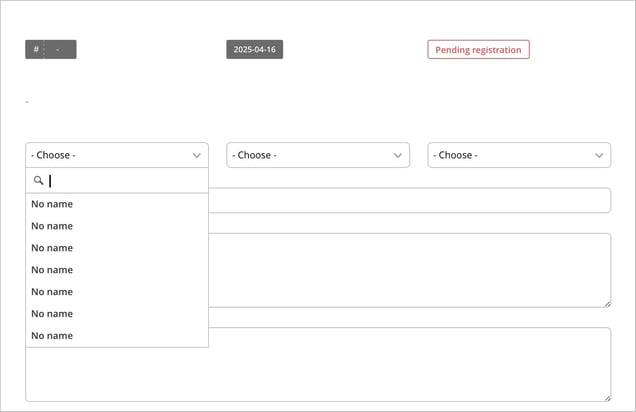
Språket fungerar olika för inloggade och ej inloggade användare
A form can be available in multiple languages, such as Swedish and English. Each language version can have its own titles for sections, fields, and other parts of the form.
When a logged-in user works with the form, Classic can use the language selected in that user’s profile. This means a user with Swedish selected will see the Swedish titles, while a user with English selected will see the English ones.
During Public Registration, however, the user is not logged in. Because of this, Classic cannot determine the user’s preferred language. Instead, the form is shown in the default language selected for the form.
Example
A form has the following settings:
-
Swedish and English are enabled
-
Titles have only been added in Swedish
-
English is selected as the form’s default language
When a logged-in user with Swedish selected opens the form, the Swedish titles are displayed as expected. When the same form is opened through Public Registration, English is used instead because it is the form’s default language. If English titles have not been added, those parts of the form will appear without titles.
How to Fix the Problem
If titles are missing during Public Registration, first check which default language is selected for the form and make sure the form includes titles in that language.
You can either:
-
add the missing titles in the form’s default language, or
-
change the default language to one in which the form titles already exist.
To find the default language setting, open the relevant form and go to Settings. For more information about language settings in forms, see the article Work with languages in forms